
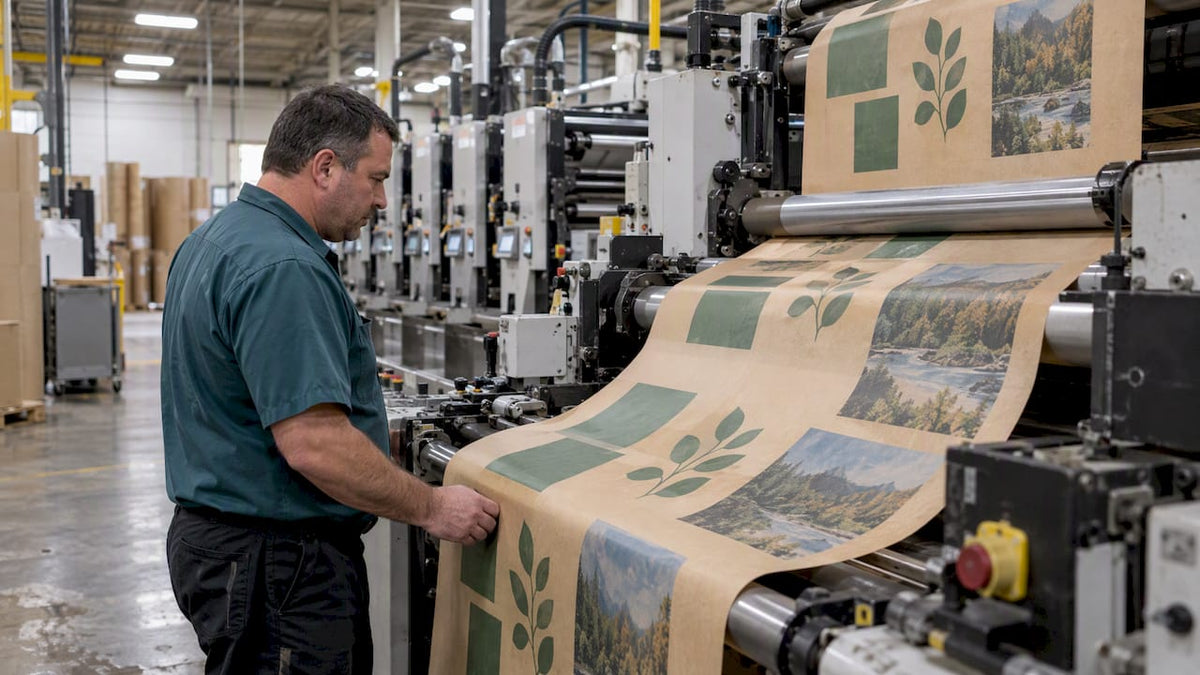
Spot color uses premixed inks for exact, repeatable brand matches, including metallics and opaque white, while process color prints CMYK halftone dots to reproduce photos and multicolor art. The short rule: choose spot for a small set of brand-critical solids, and choose process when the artwork is photographic or carries many colors that would otherwise need many separate inks.
TL;DR:
- Each spot ink needs its own plate and press station, so limit spots to brand colors and approve a proof on the production stock.
- CMYK handles photographs and complex artwork, but vivid brand shades may fall outside its gamut, so request a contract proof before converting spot colors.
- Ask which press will run the job before finalizing artwork; flexography can show pinholes in large solids, while registration limits affect fine type.
- Extended gamut printing can simulate many spot colors with extra process inks, reducing changeovers, but it requires press capability, color matching, and proofing.
- Keep spot channels named in the PDF, inspect separations, confirm overprint and trapping, and ask the printer how many ink stations are available.
Table of Contents
- What spot color is and where it earns its place
- What process color is and why photos depend on it
- How offset, flexo, screen and digital handle each method
- How to decide between spot and process
- Combining spot and process: touch plates, varnish and extended gamut
- Color management and proofing for predictable results
- A prepress checklist to hand your printer
- Does spot or process color print greener?
- Choosing sustainable inks for spot and process work
- Our view on spot vs process for custom paper bags
- How we help you get color right on paper bags
- FAQ
- Sources
What spot color is and where it earns its place
A spot color is an ink mixed ahead of time and printed from its own plate on its own press station. Libraries such as Pantone give designers a shared reference, and Pantone’s technical guidance recommends spot colors for a few exact colors and previewing them on the intended substrate. Design software marks these swatches as spot, and InDesign’s documentation notes that each one needs a separate plate, so the number should stay small.
Here is where spot inks make sense and what they cost you:
- Logos and signature colors: a solid brand red or blue prints the same way each run.
- Special inks: metallics and opaque white cannot be built from cyan, magenta, yellow and black.
- Solid backgrounds: a flat field of one ink looks cleaner than a halftone tint.
- Added cost: every spot ink takes a plate and a press station, which adds make-ready time and lead time.
- Substrate influence: the same formula looks different on coated stock and on uncoated kraft.
What process color is and why photos depend on it
Process color builds an image from four halftone screens: cyan, magenta, yellow and black. As Adobe’s separation guidance explains, printers usually split artwork into those four plates, and tiny dots in overlapping combinations simulate a wide range of colors to the eye.
This is the method for work where spot inks would be impractical:
- Photography: continuous tones need halftone dots, not flat inks.
- Complex illustration: gradients, shading and dozens of hues come from four plates instead of dozens.
- Many-color jobs: four process inks replace what would otherwise be a long list of spot stations.
- Gamut limits: some vivid or brand-specific colors fall outside what CMYK can reach, so a proof matters before you commit.
- Predictable setup: four plates keep the press configuration simple and the job easier to schedule.
How offset, flexo, screen and digital handle each method
Your press determines how each choice plays out in practice.
- Offset lithography: common for sheetfed work. Adding a spot plate is straightforward, and registration and color stay stable when the press is well controlled.
- Flexography: the workhorse for packaging and paper bags. Print Industry’s packaging explainer notes that registration and solid-area behavior differ from offset, and that expanded sets of seven or eight colors broaden attainable color without swapping inks. Watch for registration tolerance and pinholing in large solids.
- Screen printing: suited to thick, opaque spot inks on specialty stocks and textiles.
- Digital and inkjet: many presses offer few dedicated spot-ink options, though expanded inksets are shifting the trade-offs on modern machines. For a deeper look at the two main packaging processes, see our flexo vs offset buyer’s guide.
Pro Tip: Ask your printer which method will run your job before you finalize art, because pinholing and registration tolerances change how you should build solids and fine type.
How to decide between spot and process
Work through these questions in order:
- Is an exact brand color non-negotiable? If a logo or signature shade must match every time, specify a spot ink or a spectral match.
- Is the artwork photographic or full of colors? Use process, so you avoid paying for a pile of spot plates.
- How long is the run, and how many press units are free? Each added spot ink lengthens make-ready. Multi-unit presses and extended gamut reduce that burden.
- What stock will carry the ink? Uncoated, kraft and recycled paper shift appearance, so plan proofs on the production stock.
- How many spots does the design really need? Trim the list to the colors that carry the brand, and let CMYK handle the rest.
Our guide to locking Pantone colors on kraft shows how this plays out when the stock is brown paper rather than bright white.
Combining spot and process: touch plates, varnish and extended gamut
Most real jobs are hybrids. You rarely have to pick one method for the whole bag.
- Touch plates: one spot ink covers a logo or accent while the rest prints in CMYK. Print Industry notes that this preserves critical colors, though it historically added press time and cost when a press lacked extra units. Newer multi-unit presses ease that.
- Special-effect plates: a dedicated plate can carry varnish, a metallic or opaque white.
- Extended gamut (ECG): extra process inks such as orange, green and violet simulate many spot colors without wash-ups. Adobe’s packaging brief describes how modern presses and PDF Print Engine support make this practical, and a CSW case study reports shorter changeovers and less ink inventory.
- Trade-offs: press capability, color-matching effort and proofing demands all rise. Our write-up on 8-color flexo explains the process.
Color management and proofing for predictable results
Predictable color comes from measurement, not from eyeballing a sample. Several controls matter:
- Custom ICC profiles: build them for the press and substrate, then verify them regularly. Printing United Alliance stresses that profiles must be maintained with spectrophotometer measurements to keep color consistent across runs.
- Spectrophotometer checks: ask for Delta E and Lab* values instead of relying on a visual match or a densitometer alone.
- G7 calibration: this aligns gray balance and tonality across printing technologies, and Idealliance reports that many print buyers and printers adopt it to hit client color targets.
- Contract proofs and drawdowns: insist on proofs made on the actual substrate, with signed approval before production.
G7 creates more consistent printing conditions across presses and substrates, which simplifies cross-supplier color reproduction for brand owners.
For the bigger picture, read why packaging color accuracy matters for your brand and our overview of color management in packaging.
A prepress checklist to hand your printer
Send these items with your files and you will avoid most reprints:
- Name every spot ink by Pantone or spectral ID and keep named spot channels in the PDF.
- Inspect separations with Ink Manager or Separations Preview, and convert spots to process only where you and the printer agree.
- Confirm overprint and trapping, and avoid complex transparencies that change when spot colors convert.
- Ask about available ink stations for touch plates or extended gamut.
- Request a contract proof on the production stock before approving.
Pro Tip: Build one clean, named PDF export preset and reuse it, so every job reaches the printer with the same settings. For general file-handling habits, this guide to preparing files for professional results is a useful outside reference.
Does spot or process color print greener?
Neither method is automatically the more eco-friendly choice. The environmental picture depends on how many inks a job needs, how much waste the press produces, and what happens at changeover.
A job with several spot colors needs more plates, more ink stations and more wash-ups between runs. Each wash-up consumes cleaning materials and leftover ink, and every extra plate is material that has to be made and later discarded. A tight CMYK job uses fewer plates and fewer station changes, which can mean less setup waste.
Process color has its own footprint, though. Heavy photographic coverage lays down more ink across the sheet, and trying to force a vivid brand color out of CMYK can lead to repeated proofs and rejected runs. Waste from reprints often outweighs any difference in ink choice, which is why accurate proofing is an environmental measure as much as a quality one.
Extended gamut offers a middle path. By simulating many spot colors with a fixed set of process inks, it can cut changeovers and ink inventory, which CSW’s case study ties to shorter changeover time. Packaging teams weighing this route can read the Packaging Impressions transition story, which describes potential cost and consistency benefits alongside the need for coordinated testing.
The practical takeaway: limit spot inks to the colors that carry your brand, lock your color early with a proof, and avoid reprints. Those habits reduce waste more reliably than switching methods for environmental reasons alone.
Choosing sustainable inks for spot and process work
Ink chemistry matters as much as ink count. Both spot and process colors can be formulated in water-based systems, so the sustainability question is usually about the ink family, the substrate and the finish, not about spot versus process.
Water-based inks are a common choice for paper bags because they pair well with absorbent paper stocks and avoid heavy solvent use. Biodegradable and low-impact formulations exist too. If sustainability is a purchasing requirement, ask your printer which ink systems they run on your press and whether the same family covers both your CMYK and your spot colors, because mixing chemistries on one job can complicate printing and recycling.
Substrate and ink interact. Kraft and recycled stocks absorb ink differently from bright coated paper, so a color that looks rich on one can look muted on another. That is another reason to proof on the real stock before you commit, and it connects to broader packaging decisions, from recycled content to end-of-life. For a wider view of that landscape, see this overview of sustainable packaging options and compliance.
Keep your claims honest. Describe an ink as water-based or low-impact only when your printer can document it, and avoid vague green language on the bag itself. We cover our own material and ink choices on our sustainability page. A clear ask to any supplier: which inks, on which stock, with what proof, and what documentation backs it up.

Our view on spot vs process for custom paper bags
Kraft and recycled stocks need proofing early, and we often recommend a drawdown or press proof to lock a brand color before production. For many bag projects, our 8-color flexo expands the achievable color range without piling on spot inks, and contract proofs plus pre-press checks keep reprints down.
— Taylor
How we help you get color right on paper bags
Our team supports your bag project from first idea to finished run:
- We provide packaging consultation, die-line prep, graphic design, pre-press proofing and prototyping tailored to bag substrates.
- Our 8-color flexo capability helps reproduce wider gamuts on paper bags while supporting sustainable ink options.
- You can browse our paper bag styles to see what we make.
Contact Gather Packaging to request a proof and tell us about your paper shopping bag or retail packaging needs.
FAQ
What is the difference between spot color and process color in Illustrator?
In Illustrator, a spot swatch prints as its own separate plate, while a process swatch is built from cyan, magenta, yellow and black. Adobe’s color guidance recommends spot for precise matches and process for jobs with many colors. Check the swatch type before you send files.
Can you give me an example of spot color?
A brand’s signature red printed from a single Pantone ink is a classic example. Metallic and opaque white inks are also spot colors, because they cannot be created from CMYK. Each one prints from its own plate.
Is CMYK the same as the 4 color process?
Yes. CMYK refers to the four inks (cyan, magenta, yellow and black), and four-color process is the printing method that layers them as halftone screens. The terms are used interchangeably in prepress.
Can a spot color be CMYK?
A spot color can be converted to a CMYK mix, but the result is a simulation and may not match the original ink. Vivid or brand-specific shades often fall outside the CMYK gamut. Ask for a contract proof before approving any conversion.
Share:
Design for Recyclability: Paper Bag Specs Canadian Buyers Can Verify
Circular Economy Packaging: Put Mill Guidance in Paper Bag Specs